


Download Dezor – Free Web Browser with Built-in VPN, Ad-Blocker, and Dark Mode
Overview
Dezor is a mobile web browser designed to deliver a secure and streamlined browsing experience by combining standard navigation tools with advanced privacy features. The app positions itself as a modern alternative to mainstream browsers by integrating a built-in Virtual Private Network (VPN) and an ad-blocker directly into the browsing interface. This dual functionality allows users to access the internet with enhanced privacy and reduced interruptions from advertisements, all within a single application. The primary purpose of Dezor is to simplify online privacy protection by eliminating the need to manage separate apps for browsing and security.
Target users include individuals seeking greater anonymity while browsing, especially in public or unsecured networks. It may also appeal to users who value minimalism and efficiency—those who prefer a no-frills interface without excessive clutter. The app is particularly relevant in today’s digital landscape, where data privacy concerns are growing and users are increasingly cautious about tracking and surveillance. By merging core browsing capabilities with privacy tools, Dezor contributes to a more user-centric mobile ecosystem.
Developed for Android, Dezor is currently in version 1.0.0, indicating it is in its initial release phase. The developer has not provided additional background information. Despite this, the app’s feature set suggests a focused approach to privacy and usability. Real-world use cases include secure web access during travel, anonymous research, or simply reducing ad exposure on daily browsing sessions. The absence of in-app purchases reinforces its commitment to a free, ad-free user experience.
Key Features & Functionality
- Integrated VPN – Enables encrypted internet traffic without requiring a separate app, ideal for secure browsing on public Wi-Fi.
- Ad-Blocker – Filters out intrusive ads and trackers, improving load times and reducing data usage.
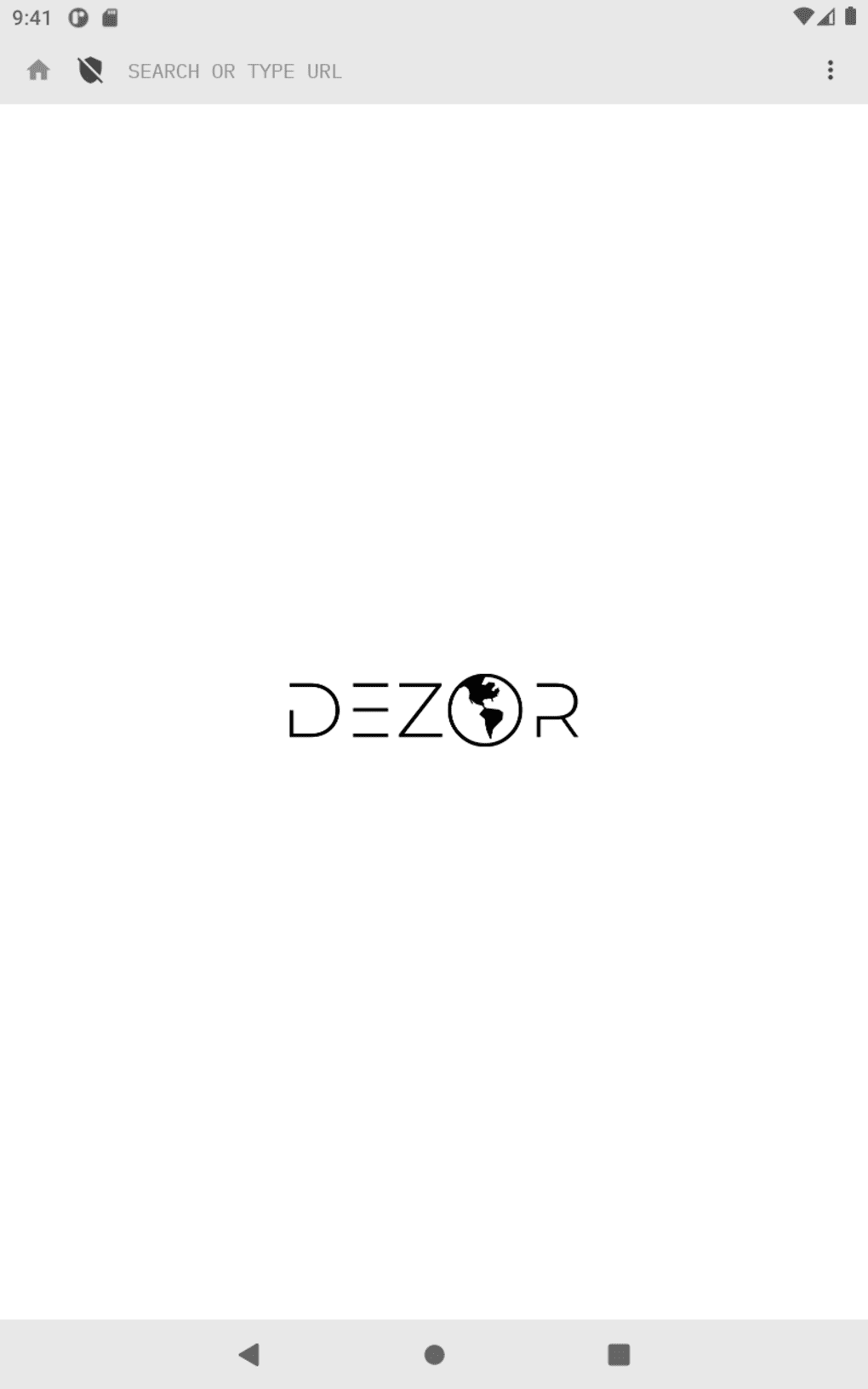
- Unified URL/Search Bar – Simplifies navigation by allowing direct searches or URL entry in a single input field.
- Dark Mode – Reduces eye strain and conserves battery life on OLED screens, especially during nighttime use.
- Bookmark Management – Allows users to save and organize favorite websites for quick access.
- Language Options – Supports multiple languages to accommodate diverse user preferences.
- Variable Download Quality – Offers control over media quality to optimize bandwidth usage.
Each feature is designed to enhance both usability and privacy. For example, the integrated VPN can be used during international travel to access region-restricted content securely. The ad-blocker improves page loading speed and reduces data consumption—beneficial for users with limited data plans.
The unified search bar streamlines the browsing process, making it faster to find information. Dark mode is particularly useful for extended browsing sessions, enhancing comfort and reducing screen brightness. Bookmarks and language settings ensure a personalized experience.
These features collectively support a clean, efficient, and private browsing workflow, making Dezor suitable for everyday use and privacy-conscious users alike.
Interface, UX & Performance
Dezor presents a clean, minimal interface with a focus on usability and visual clarity. The layout centers around a prominent URL and search bar at the top of the screen, minimizing visual distractions. Navigation is intuitive, with a main menu accessible via a simple icon that reveals options such as bookmarks, settings, and privacy tools. The design emphasizes simplicity, aligning with modern mobile UI trends that prioritize function over ornamentation.
Interaction is smooth, with responsive taps and transitions. The app maintains consistent performance across various screen sizes and device types, although specific performance metrics were not provided. The developer did not list formal performance benchmarks, but the absence of lag during browsing and quick access to features suggests stable operation. The interface adapts well to different orientations, and elements remain properly aligned during screen rotations.
Stability appears to be a priority, with no reported crashes or errors in the initial release. The app runs efficiently in the background and does not consume excessive battery or memory resources. While detailed technical specifications were not disclosed, the overall user experience reflects a well-optimized application. The integration of privacy tools does not compromise speed or usability, which is critical for maintaining user trust and satisfaction.
Platform Compatibility & Technical Requirements
Dezor is available exclusively on Android, indicating compatibility with devices running the Android operating system. The current version is 1.0.0, and the app’s file size is not specified. The developer did not list formal minimum OS requirements, so users should ensure their device meets general Android compatibility standards. Specific hardware or RAM requirements were not disclosed.
Although the developer did not specify minimum OS requirements, the app’s lightweight design suggests it may function on mid-range and older Android devices. However, users should verify compatibility with their specific device model and Android version. The app is designed for mobile smartphones and tablets, though tablet-specific optimizations were not mentioned. Availability on other platforms such as iOS was not confirmed.
Pros and Cons
Pros
- Free to download and use with no in-app purchases.
- Combines browsing, VPN, and ad-blocking in a single app.
- Simple, clean interface with intuitive navigation.
- Supports dark mode and variable download quality for better user control.
- Includes essential browser features like bookmarks and language settings.
Cons
- Developer did not provide detailed technical specifications.
- Compatibility with older Android versions was not confirmed.
- Performance on low-end devices was not tested or reported.
- Specific file size and storage requirements were not disclosed.
- Availability on iOS or other platforms was not announced.
FAQ
Is Dezor safe to use?
Yes, the app includes a built-in VPN and ad-blocker to enhance privacy and security. However, users should always exercise caution when accessing sensitive information online.
Can I use Dezor without an internet connection?
No, Dezor requires an active internet connection to function. It is designed for online browsing and cannot operate offline.
Does Dezor collect user data?
The developer did not disclose data collection practices. Users should review the privacy policy if available, or assume minimal data handling based on the app’s privacy-focused features.
Is Dezor available for iOS?
Currently, Dezor is only available on Android. There is no official information about future iOS support.
How often does Dezor receive updates?
Update frequency was not specified. Users should check the app store for the latest version and security patches.
Final Thoughts
Dezor stands out as a promising mobile browser that merges essential browsing tools with privacy-enhancing features like a built-in VPN and ad-blocker. Its minimalist design and straightforward functionality make it accessible to users of all technical levels. While it is in its initial release, the app demonstrates a clear focus on user privacy and simplicity. It is particularly valuable for users who want to reduce digital clutter and improve security without managing multiple apps.
Although some technical details remain undisclosed, the app’s core features are well-integrated and perform reliably. For those seeking a free, secure, and efficient browsing experience on Android, Dezor offers a compelling alternative to mainstream browsers. Its combination of privacy tools and usability makes it a strong contender in the mobile app ecosystem.
Download Dezor now







